Quick answers about your account, courses and the site.
Wellbeing First is an online health and wellbeing service for adults. It brings together short courses, resources and activities, a private journal, quick tools for hard moments, and messaging with qualified health and wellbeing coaches and personal trainers.
It works in the web browser on your phone, tablet or computer.
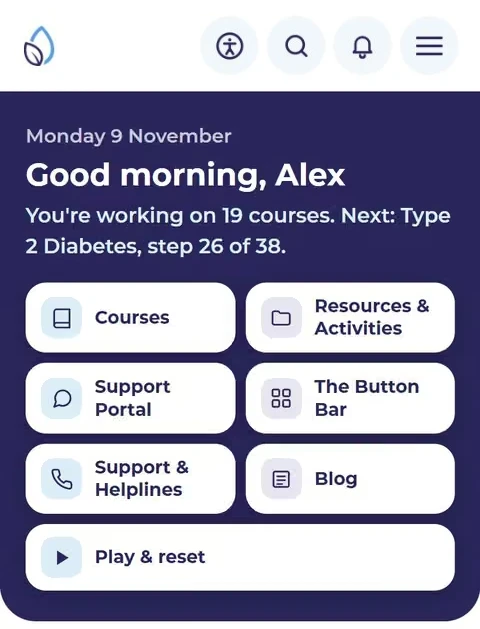
When you log in you land on your home screen, My Health & Wellbeing Hub. It shows the course you are working on, your progress, and a button for each part of Wellbeing First: Courses, Resources & Activities, Support Portal, The Button Bar, Support & Helplines, Blog and Play & reset.
You can also get to every page from the menu at the top of the screen.
Wellbeing First is designed for real people with real lives. It’s for anyone who wants to feel healthier without overwhelm, shame, or perfection pressure. Whether you’re just getting started, returning after a break, managing a busy life, or rebuilding confidence, you’re welcome here.
Wellbeing First is for adults, so you need to be 18 or over to use it.
Wellbeing First is built around real life.
It encompasses practical support, flexible tools and activity, compassionate coaching, and guidance you can actually use. It is organised around your wellbeing, so you don’t have to figure out where to go next or search for answers elsewhere through endless signposting. The platform is designed to be simple to use.
You get human support, not AI. Our coaches are real people who understand that life is messy, progress isn’t linear, and support should feel like guidance rather than judgment.
Absolutely. Wellbeing First was built for beginners, restarters, and anyone who’s felt left out by traditional wellness spaces. You can move at your pace, choose what’s relevant to you, and never feel judged for starting again.
Wellbeing First is a wellbeing and lifestyle support platform, not a medical service. We don’t diagnose or treat medical conditions, and we always recommend following guidance from your GP or healthcare professional.
However, many members with long-term or ongoing conditions use Wellbeing First for support alongside their medical care. You’re encouraged to go at your own pace and adapt activities to what feels safe for you and what is recommended by your healthcare professional.
There’s no set time requirement. Most activities are designed to fit into real life, from 2–10 minutes at a time. You choose what’s manageable for you.
No specialist equipment is needed. Any movement-based activities offer alternatives and suggestions without equipment. If an optional item might help, we’ll let you know, but it’s never required.
There are short courses on long-term conditions; health, fitness and wellbeing; life skills; and work.
Resources and activities cover fitness, nutrition, wellbeing, grounding, mindfulness and breathing, reflection, and hormonal and reproductive health. You will find guides, planners, check-ins, trackers and journals among them.
Browse them all on the Courses and Resources & Activities pages.
The Button Bar is a page of quick tools for hard moments: slowing your breathing, a 5 4 3 2 1 grounding exercise, bubble wrap, a worry bin, a gratitude jar, a dance break, a stretch and more.
Not sure where to start? Tap how you are feeling, such as Anxious, Overwhelmed or Stuck, and the buttons that might help light up. Notes you add to the gratitude jar are saved in your journal.
Play & reset has short games with a point: memory match (every pair you match gives you a wellbeing tip), a daily quiz of three questions based on NHS guidance, Dodge the distractions and Procrastination bingo. A couple of minutes is plenty.
No. There is no forum or chat between members, so other members cannot see you or your activity.
You can message our health and wellbeing coaches and personal trainers through the Support Portal.
Your information is stored on secure servers in the UK and encrypted while it travels. Journal entries are encrypted with a key unique to you. We never sell your information, and we never use health information for advertising, marketing or analytics.
If you have access through your GP practice, university, employer or another organisation, they do not see your journal entries, tracker entries, messages or anything that identifies you.
You can read the full details in our Privacy Policy.
Yes, you can use Wellbeing First anywhere with an internet connection. Some health information, helplines and links are specific to the UK.
At the moment we cannot take website payments from people who live in the European Union or with cards issued there. You can still use a free account.
Our iPhone and Android app is on its way. Until then, Wellbeing First works in the web browser on your phone, tablet or computer.
When the app arrives you will log in with the same account, and everything you have saved will be there.
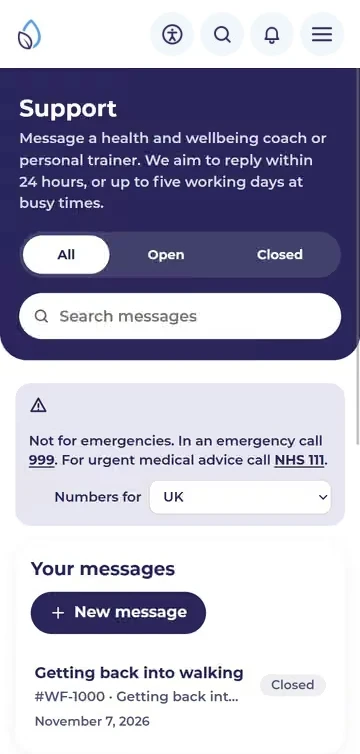
Open the Support Portal and choose New message. Tell us what you would like help with, and a coach or trainer will reply. We aim to reply within 24 hours, but it can take up to five working days at busy times and around public holidays.
The Support Portal is for non-urgent support only and is not watched as an emergency service. In an emergency call 999. For urgent medical advice call NHS 111. Our Support & Helplines page lists other services and crisis lines.
Messaging a coach or trainer is part of paid membership, and is included if you have access through an organisation that offers it.
 1
Our Support & Helplines page lists support services and crisis lines you can contact. In an emergency call 999. For urgent medical advice call NHS 111.
For a calm few minutes when things feel hard, try The Button Bar.
Yes, please do. You can send us suggestions and feedback on the Suggestions and feedback page, which you can also find in Account.
You can sign up for a free account. It is free and we do not ask for card details. You can then upgrade to a paid membership whenever you like.
If your GP practice, university, employer or another organisation has given you access, use the code or link they gave you, or your work or study email address, when you sign up.
A free account costs nothing. Paid memberships are monthly or yearly, and the current prices are on our pricing page.
If an organisation such as your GP practice, university or employer gives you access, you do not pay.
A free account gives you the content marked as free. At the moment this includes the Wellbeing course, five resources and activities, your journal, the blog, our support and helpline directory, and the exercises marked as free previews.
Messaging a coach or personal trainer, pre-made workouts and plans, and the other courses and resources need a paid membership. Which content is free may change.
Your access lasts as long as your organisation’s agreement with us. You do not pay anything.
If the agreement ends, we will let you know at least 30 days before your access ends where we can. You can then keep your account on the free plan or buy a membership, and your journal and other entries stay in your account.
Your organisation does not see your journal entries, tracker entries, messages or anything that identifies you.
On the website we take payments by card through our payment provider, Stripe.
If you have access through your GP practice, university, employer or another organisation, you do not need to pay.
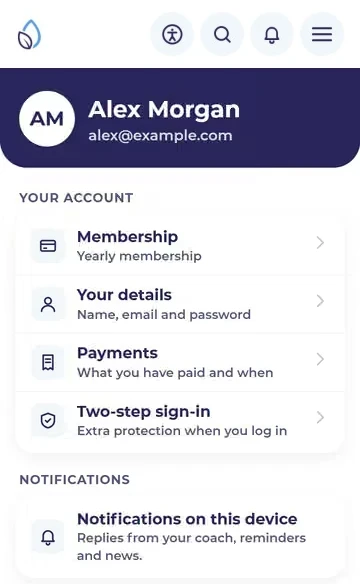
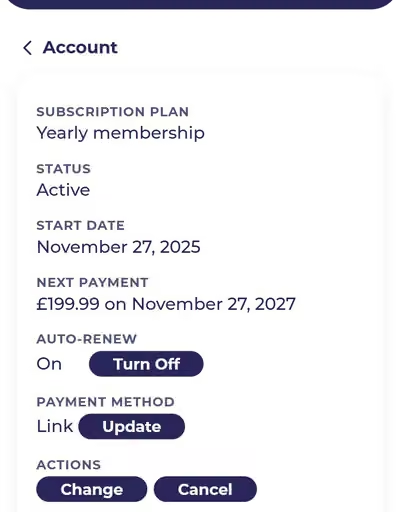
Yes. Go to Account, open Membership and choose Change to switch between monthly and yearly.
You can update the card you pay with from the same screen.
 1
 2
Go to Account, open Membership and choose Cancel. You keep access until the end of the period you have paid for.
Your membership renews automatically unless you cancel. If you would rather it did not renew, you can also turn auto-renew off in Membership.
If you cannot cancel in your account, contact us and we will do it for you.
12If you are a UK consumer buying on our website, you normally have 14 days from the date of purchase to cancel. If you ask for your membership to start straight away, you lose that right once it starts, and we ask you to confirm this with a separate tick box when you buy.
When you cancel, you keep access until the end of your current billing period. Except where the law requires it, we do not refund part-used periods.
The full details are in our Terms & Conditions.
Go to Account and open Payments. It lists each payment with the date, what it was for, the amount, how it was paid and its status.
With a paid membership you can use every course, resource and feature for as long as your membership is active, and come back to anything as often as you like.
If you have access through an organisation, it lasts as long as their agreement with us.
Go to Account and open Your details. You can change your name, email address and password there.
1On the login page, choose Lost your password? and enter your email address. We will email you a link to set a new one.
If the email does not arrive, check your junk or spam folder before asking for another.
Go to Account and open Two-step sign-in. It adds a second check when you log in, so your account stays safe even if someone learns your password.
1Go to Account and choose Delete account at the bottom of the page.
This removes your profile, course progress, journal entries, workouts and support messages straight away.
A phone, tablet or computer with an up-to-date web browser, such as Safari, Chrome, Firefox or Edge, and an internet connection.
Yes. Use the language menu at the bottom of the screen to translate the pages. Translations are automatic, so some wording may not be perfect.
Yes. Most video content includes subtitles, and we are continually working to improve accessibility. You can find out more on our Accessibility page.
If you need support or would like to request a specific feature, please contact us.
Choose the round Consent Preferences button in the bottom left corner of any page. You can see which cookies we use and turn the optional ones on or off at any time.
Try refreshing the page, or logging out and back in. If that does not fix it, contact us or email contact@wellbeingfirst.co.uk and tell us what you were doing, which device and browser you were using, and what happened.
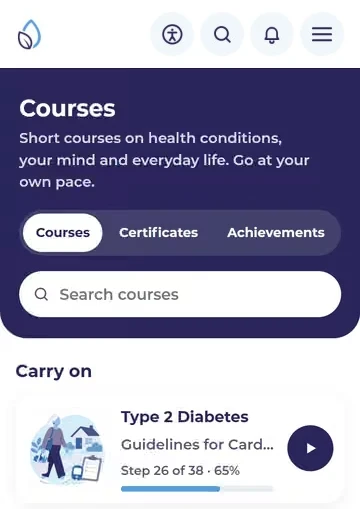
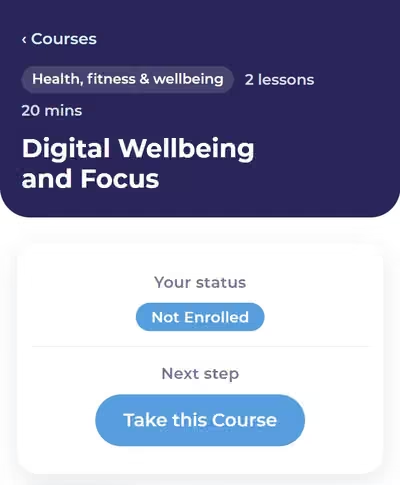
Open Courses and find a course by topic or with the search box. Open the course and choose Take this Course.
The courses you have started appear under Carry on, so you can pick up where you left off. You can have as many courses on the go as you like.
 1
 2
Each course is split into short steps, such as lessons, topics and quizzes. Some include videos, goal setting or activities to try. Mark each step complete as you go, then choose Next.
There are no deadlines. Your progress is saved, and the Courses page and your home screen show how far through each course you are.
No. Everything is designed to be worked through at your own pace, in a way that helps you. Some courses include short quizzes to help you check what you have learned. We encourage you to try the activities and set goals, but none of it is compulsory.
When you finish a course, your certificate appears under Certificates on the Courses page. Achievements are under the Achievements tab on the Courses and Resources & Activities pages.
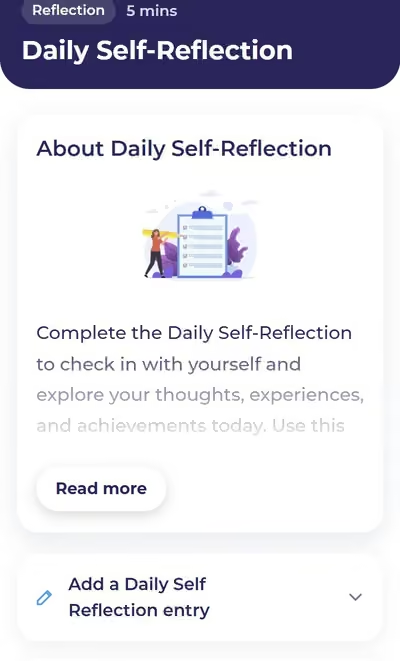
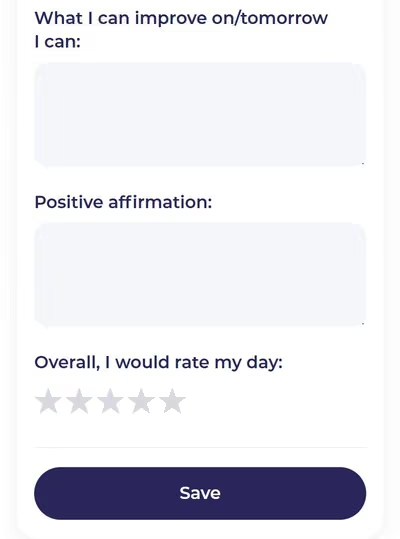
1Yes. Open a resource on the Resources & Activities page, open the activity, fill it in and choose Save. Resources you have filled in are marked Done.
Everything you save goes to your journal, and your saved entries for that activity are listed underneath it.
 1
 2
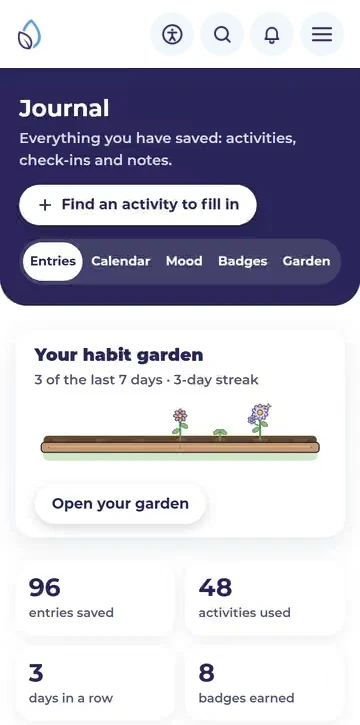
Your Journal keeps everything you save: activities, check-ins, gratitude notes and more. Entries are grouped by activity, and you can search them, open them to read every answer, edit them or delete them.
The Calendar, Mood and Badges tabs show your entries by date, how your mood and energy have changed over time, and the badges you have earned.
 1
On your home screen, My Health & Wellbeing Hub, choose the face that fits under How are you feeling today?: Low, Down, OK, Good or Great. It saves to your journal straight away, and you can change it any time that day.
Your check-ins show on the Mood tab in your Journal, so you can see how things change over time. If you choose Low or Down, you will also see links to Support & Helplines and The Button Bar.
Only you. Journal entries are encrypted when they are saved and are not shown to coaches, trainers or anyone else at Wellbeing First. If you have access through an organisation, they cannot see them either.
If you would like a coach or trainer to see something you have written, copy it into a message in the Support Portal.
Each day you save something to your journal, that day’s pot in your garden gets a plant. The more you save that day, the bigger it grows, up to full bloom at four saves. Rest days are allowed. Keep a streak of three days or more and butterflies come to visit, and longer streaks unlock new seed packets.
You will find it under the Garden tab on your Journal. The habit garden is part of paid membership.
Badges mark milestones, such as filling in your first activity, trying lots of different activities and checking in several days in a row.
You can see the badges you have earned on the Badges tab in your Journal, and on the Achievements tabs on the Courses and Resources & Activities pages.
You can turn on notifications for this device in Account, under Notifications, for replies from your coach, reminders and news.
If you would like regular check-ins, message a coach through the Support Portal and ask for them.
1Courses don’t expire while you have access, so you can come back to them any time. We also update and improve courses over time based on member feedback and new evidence.
No questions match that. Try another word, or ask us below.
Send us a message and a member of the team will get back to you.
Change how this site looks for you. Your choices are saved on this device.
Text size

